Overview
Today’s update rebuilds LegionEdge Cloud around organizations. The console now lives at cloud.legionedge.ai, new organizations are requested and approved, and each one runs its own identity and access management from a new IAM dashboard.
Four products open in preview alongside it: Data Rooms, Data Management, Pipelines and the Project Canvas. Preview products are switched on per organization, and they may still change.
One address for the console
The console, sign-in and the IAM dashboard now share one origin and one session. Sign in at cloud.legionedge.ai/iam/login. The older app.legionedge.ai and iam.legionedge.ai addresses redirect there with the path kept, so bookmarks keep working.
Invitations, password resets and sign-in codes now arrive in the LegionEdge design.
Organizations start with a request
A new organization begins as a request, not an account. The request form takes three short steps: you, your organization, and the plan and products you want.
LegionEdge reviews every request. Nothing is created until it’s approved; approval creates the organization and emails its owner an invitation. Joining an organization that already exists still works by invitation from its administrators.
Every organization runs its own IAM
An organization’s owner, and the administrators they appoint, run identity and access for it: members, roles, policies, SSO, SCIM, service accounts, keys and the audit log. Role templates and a role builder make handing out administration a matter of picking a starting point.
The dashboard adds Guests, for people outside the organization, and My approvals, one inbox for every decision you’ve been asked to make, from access requests to pipeline approval gates. Administrators can also use View as to open the console as a member sees it, with a stated reason and a time limit.
Data Rooms
Data Rooms is where an organization shares documents with people outside it: folders, resumable uploads, in-browser preview, people and groups, a permission matrix, Q&A and an activity log for every room.
Each room can require NDA acceptance, stamp downloads with a watermark naming the person and the time, issue share links, limit access to an IP allow-list, and place legal holds. Guests sign in to a console that shows only the rooms shared with them.
Data Management
Data Management keeps datasets versioned, with a preview of their contents, quality results, lineage and per-dataset access in one place.
Connections reach Amazon S3, Google Cloud Storage, Azure Blob Storage, Cloudflare R2, Postgres, BigQuery, Snowflake, SFTP, HTTP sources and Hugging Face, and syncs bring their data into a dataset on a schedule or by hand. Buckets and volumes sit together on one Storage page.
Pipelines and the Project Canvas
Pipelines automate work as versioned DAGs, built in a visual editor. Steps read and write datasets and connections, transform with SQL, validate schemas and expectations, scan for personal data, branch and loop, notify a channel, and wait on an approval gate. A pipeline runs on a schedule, on a platform event such as a new dataset version, or from a webhook; validate and dry-run it before you publish a version, and every run keeps its step-by-step detail.
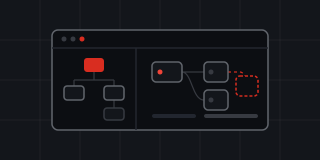
The Project Canvas shows a project’s resources and how they connect on one live canvas. Changes are staged rather than applied as you make them: review the set, then apply it together. Environments fork from one another and diff against each other, variables can reference other resources, and you can see who else is on the canvas.
The GPU catalog
The GPU catalog is simpler. The AMD Instinct MI325X and the US Central (Chicago) region it ran in are no longer offered, and the ROCm image went with them. NVIDIA H200 in US South (Dallas) is the default everywhere and bills on demand; for committed capacity, the Reservations page puts you in touch with sales.
Under the hood
The platform runs on Google Cloud: Google Kubernetes Engine for the consoles and the pipeline worker, Cloud SQL for Postgres, Cloud Storage for files and datasets, and Cloud Armor at the edge. Database migrations run before any new version rolls out.
On our side, LegionEdge staff review requests and manage organizations, plans and products from a separate admin panel.